
Short answer: click Awnings & Cantilevers, then + under Add Left Side or Add Right Side. Set the awning's width, height and roof angle in the panel. To shorten it, remove bays from its ends. For an awning with no posts, tick Cantilever.
Add an awning
- In the Shed Designer, click Awnings & Cantilevers
- Click + under Add Left Side or Add Right Side
- Set Width, Height and Roof Angle
- Check the shed, then click Save Shed
Add an awning
| Step | |
|---|---|
| 1 | Open the job and click Edit Shed. Click Awnings & Cantilevers (1) |
| 2 | Click + under Add Left Side or Add Right Side (2). The awning is added along that side wall. The LEFT label on the ground shows which side is left |
| 3 | Set the awning in the panel (3): Width is how far it comes out from the shed, and Height and Roof Angle set its height and slope. Top Height is worked out for you |
| 4 | Check the shed and its price, then click Save Shed |
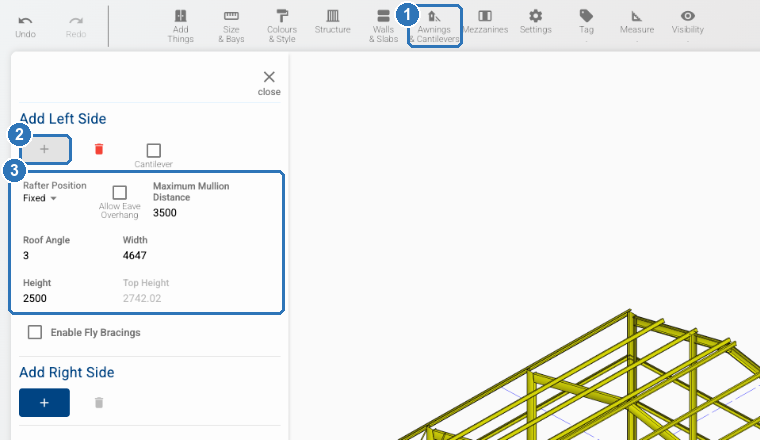
To take the awning off, click the bin beside its +.
Awnings go on the side walls. The panel adds awnings to the left and right sides. Side awnings no wider than the shed are in ShedMate's standard range. Cantilevered awnings, and awnings on the front or back of a shed, need custom engineering, so send us the job number before you quote one. See What can I quote straight away?
Shorten an awning
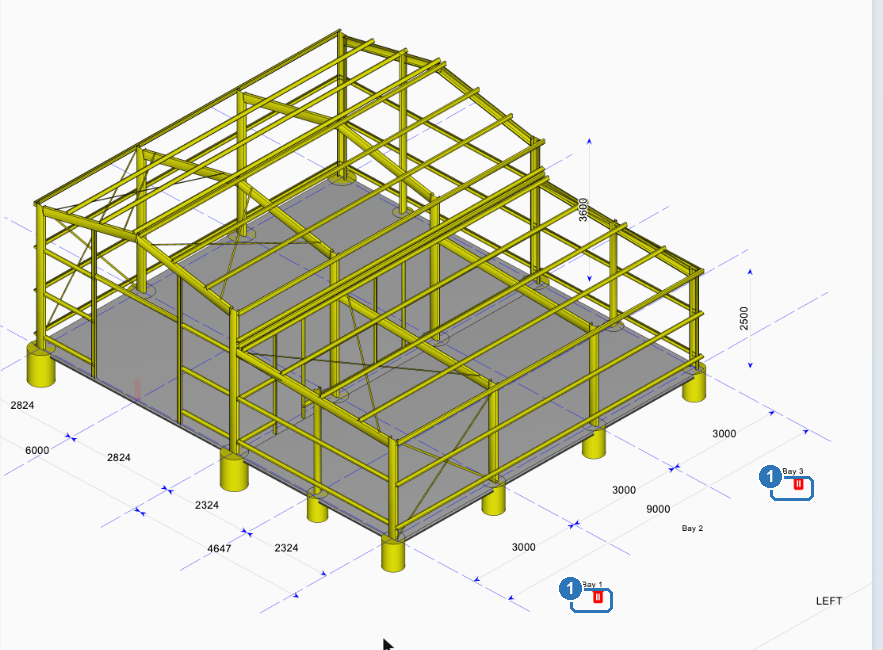
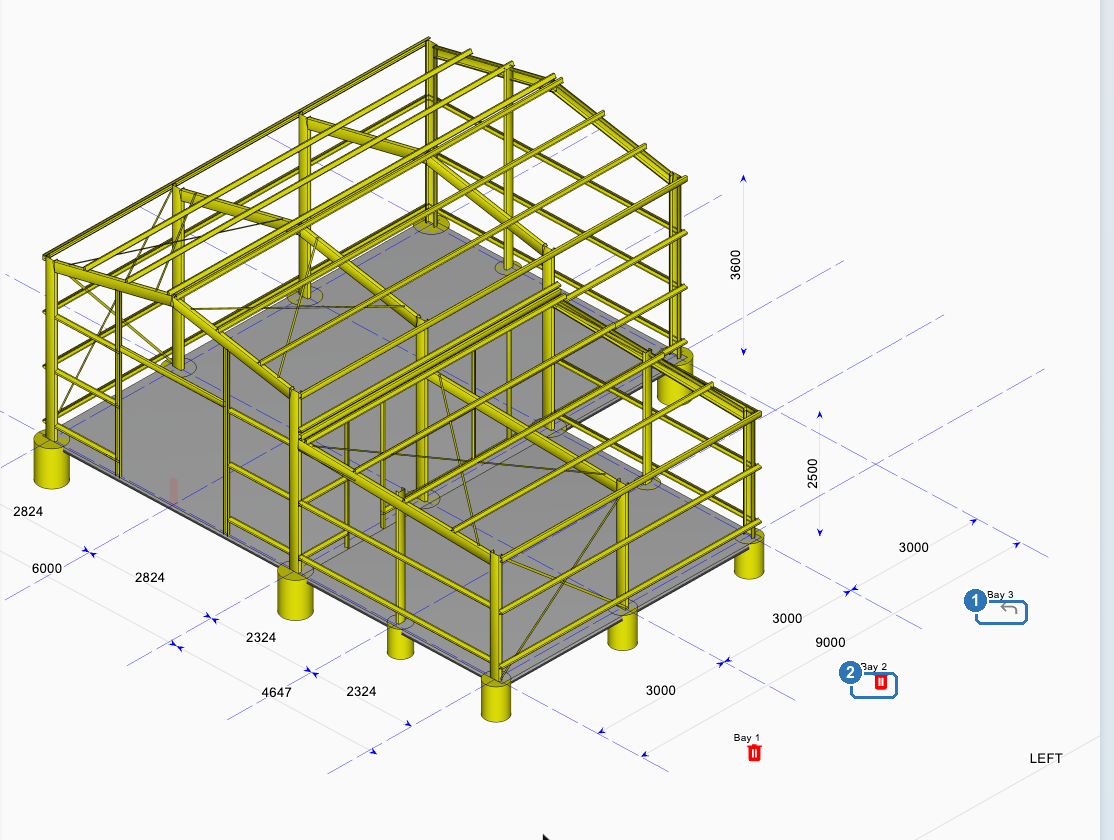
An awning starts the full length of the shed. To make it shorter, remove bays from either end.
| Step | |
|---|---|
| 1 | With Awnings & Cantilevers open, find the bay labels beside the awning. Each end bay has a red bin (1) |
| 2 | Click the bin to remove that bay from the awning. The next bay along now has the bin (2), so you can keep shortening from that end |
| 3 | To put a bay back, click the arrow where its bin was (1) |
Make an awning cantilevered
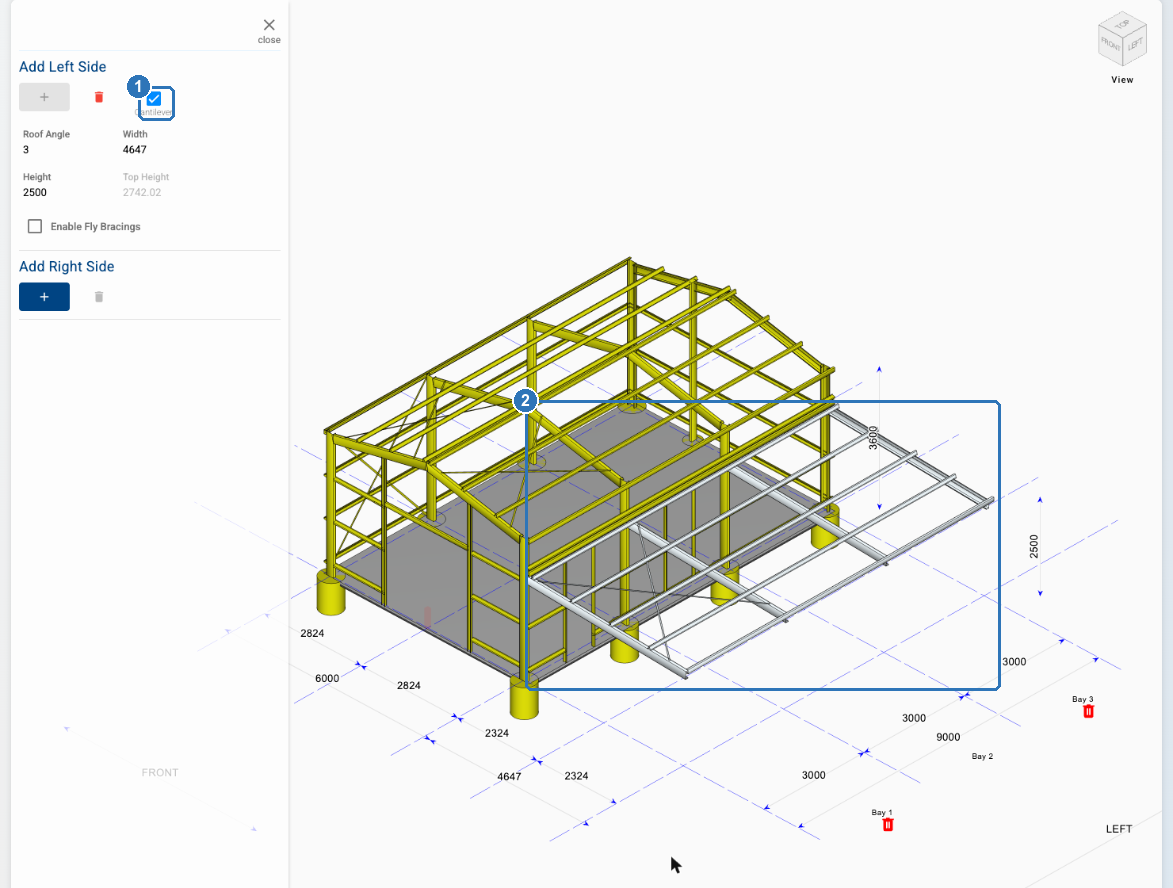
Tick Cantilever (1) under the side you added. The awning's posts are removed, and its rafters run out from the shed's columns (2). The panel then shows Roof Angle, Width, Height and Enable Fly Bracings.
Can I draw a tapered verandah?
No. An awning has one Width along its whole length, so ShedMate can't draw a verandah that narrows from one end to the other. If your customer needs one, email us the job number and we'll talk through the options.
Related
- What can I quote straight away?
- To add walls inside an awning, see the release note Internal Walls for Awnings.
Stuck? Email support@shedmate.com.au with the job number.